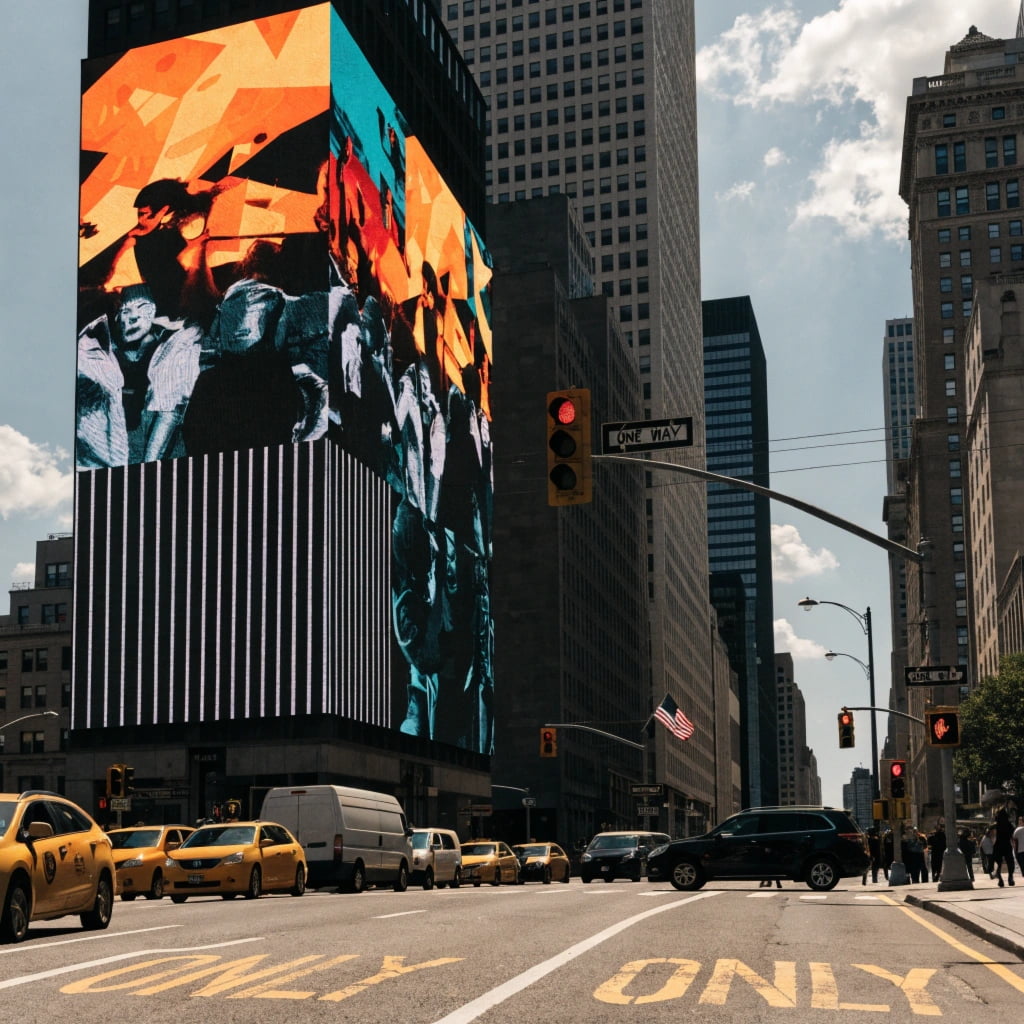
Are your LED screens1 failing early? Bad image quality2 hurts your brand. I will show you the exact hardware choices that solve these costly problems.
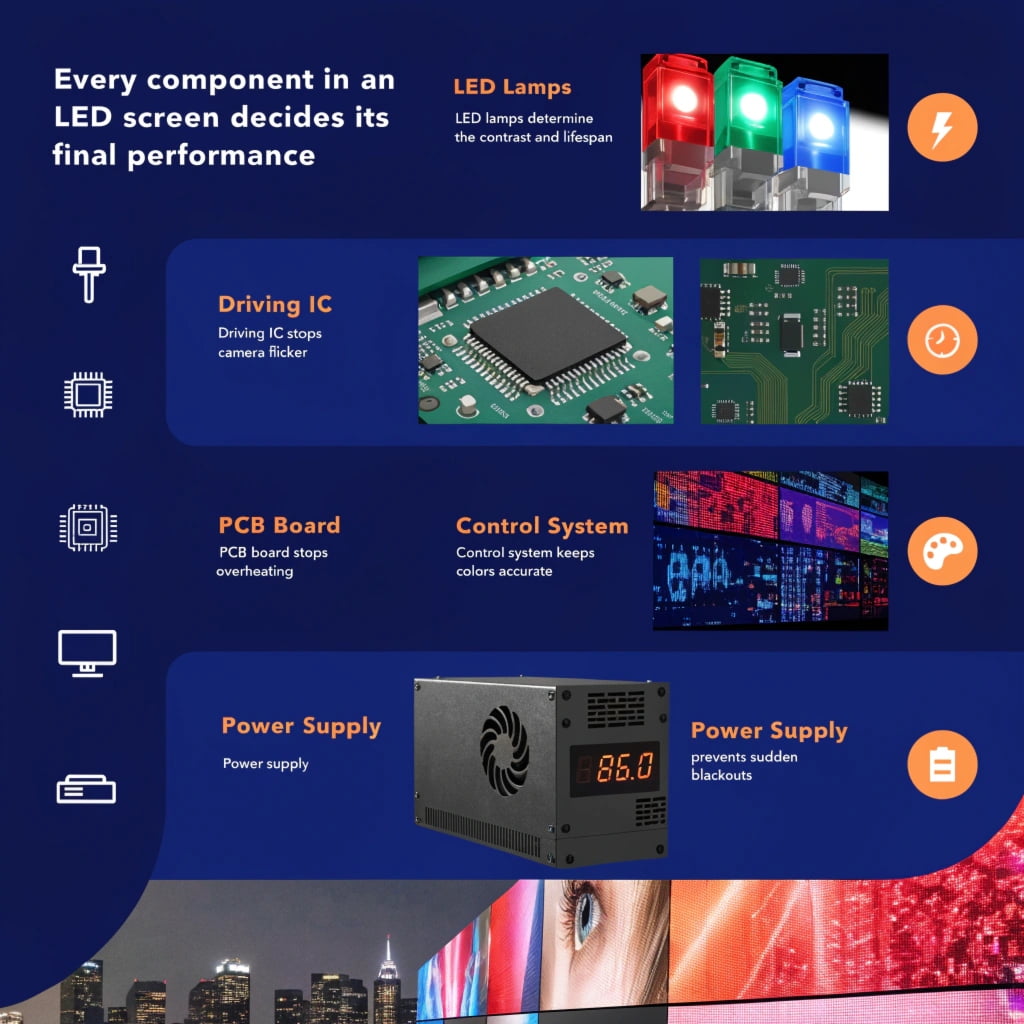
Every component in an LED screen decides its final performance. The LED lamps3 determine contrast4 and lifespan. The driving IC5 stops camera flicker6. The PCB board7 stops overheating. The control system keeps colors accurate. The power supply8 prevents sudden blackouts. These parts work together to create perfect visual displays9.
You might think all LED displays look the same on paper. I once thought this too, but a failing outdoor screen taught me the hard truth about cheap parts. Let me show you what really matters inside the cabinet.
How Does LED SMD Packaging Impact Lifespan and Contrast?
Do your screens look grey in daylight? Poor LED packaging ruins contrast4 and causes dead pixels. You need the right wire, bracket, and lamp color.
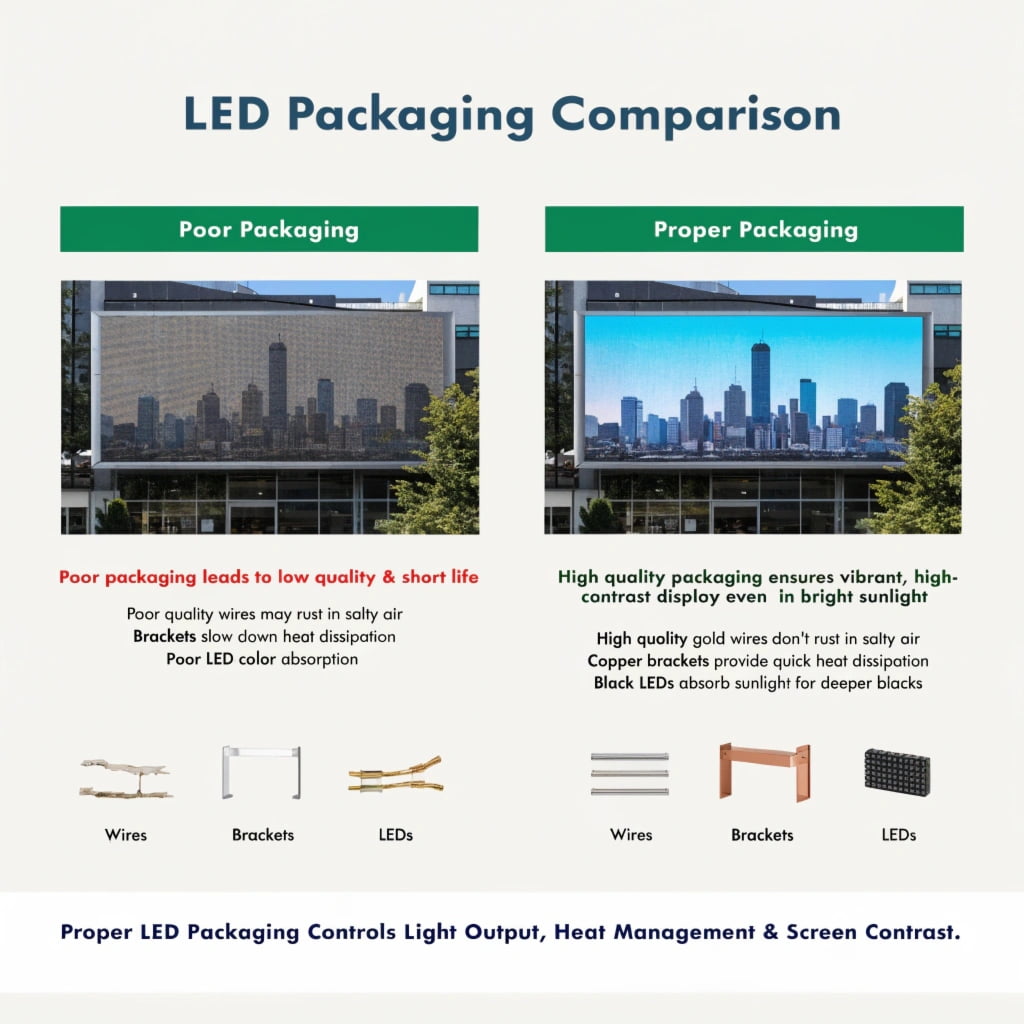
LED packaging controls light output, heat management10, and screen contrast4. Gold wires stop rust in salty air. Copper brackets remove heat fast. Black LEDs absorb sunlight to create deep black colors. These choices keep your screen bright and clear for years.
I always tell my clients that the tiny LED lamp is the most important part of the screen. We must look at three main things inside the lamp.
Gold Wire vs. Copper Wire
Gold does not react with oxygen. It stays safe even in high heat. Copper rusts easily in wet air. It turns black or green. If you put a screen near the sea, salt in the air destroys copper quickly. Gold stops this salt damage. It keeps the electrical path safe.
PPA Plastic vs. Copper Bracket
The bracket holds the LED chip. PPA is a cheap plastic. Plastic blocks heat. The heat stays trapped inside the lamp. A copper bracket is a special metal frame. Copper moves heat very fast. The heat leaves the chip and goes to the PCB board7. This keeps the LED cool.
Black LED vs. White LED
White LEDs reflect light like a mirror. They reflect the sun. When the screen plays black content, it looks grey. Black LEDs use dark materials. They absorb sunlight. When the screen plays black, it looks very dark. This makes the picture look much better.
| Feature | Standard Choice | Premium Choice | Result of Premium Choice |
|---|---|---|---|
| Wire Material | Copper Wire | Gold Wire | Stops rust and salt damage |
| Bracket Material | PPA Plastic | Copper Bracket | Moves heat away quickly |
| Lamp Color | White LED | Black LED | Creates deep black contrast4 |
Why is the Driving IC the True Backbone of Your Screen?
Does your screen show ugly lines on camera? Bad driving IC5s ruin live events. You need high-grade chips to stop screen flicker and save energy.
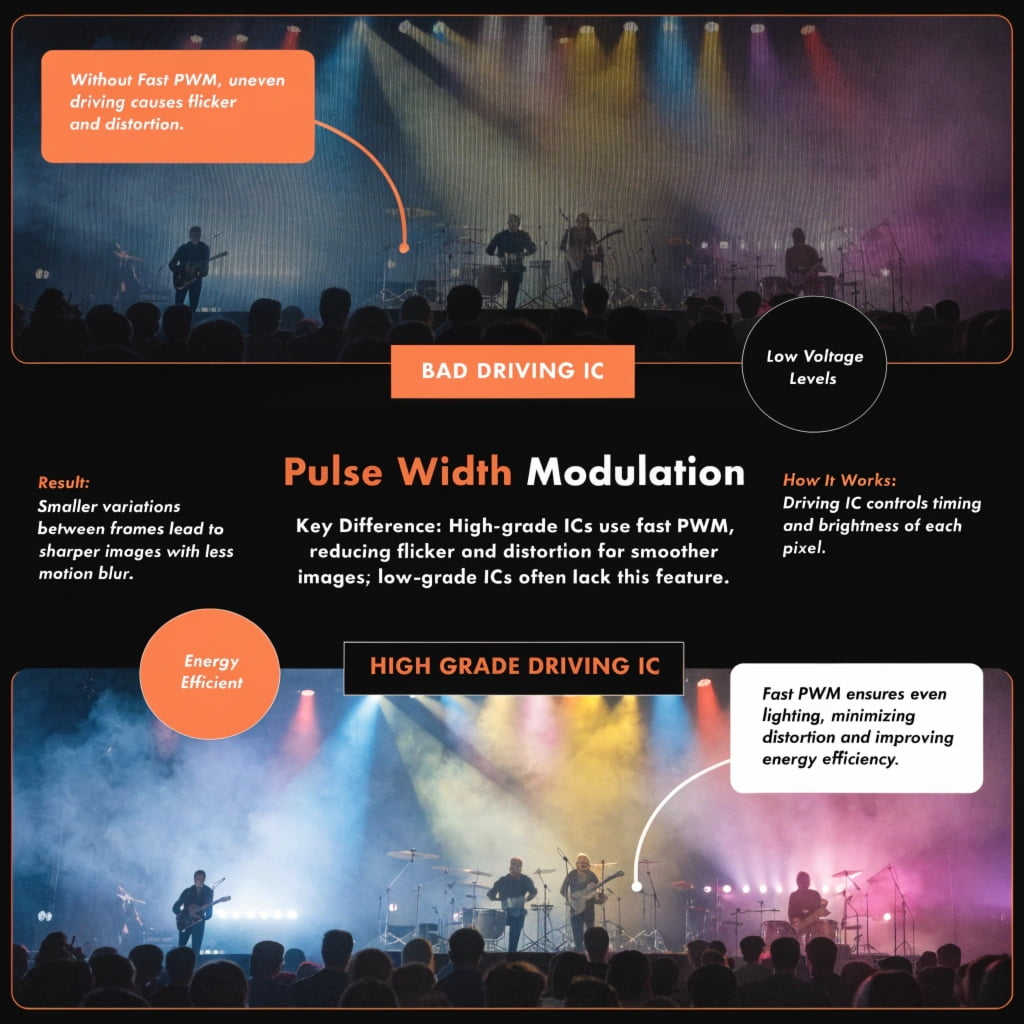
The driving IC5 controls the exact timing and brightness of every pixel. A high-grade IC uses fast pulse width modulation to stop camera lines. Energy-saving ICs use lower voltage to reduce heat. This keeps the picture smooth and makes the screen last much longer.
I have seen many beautiful screens fail on live TV because of bad driving IC5s. The driving IC5 is the brain behind the pixels.
Stopping Camera Flicker
If you take a photo of a cheap screen, you will see black lines. These are scan lines. The screen turns on and off too slowly for the camera. A high-grade IC fixes this. It uses a high refresh rate and high grayscale. The IC cuts the light cycle into tiny pieces. It turns the LED on and off thousands of times per second. The camera cannot see this fast movement. The picture stays clean and smooth.
Energy-Saving Technology
Old screens use a 5.0V power system. The LED only needs about 2.0V or 3.0V. The IC turns the extra voltage into heat. This heat damages the screen over time. Modern energy-saving ICs11 use a 3.8V system. The gap between the supply voltage and the needed voltage is very small. The IC makes much less heat. Lower heat protects the gold wires and slows down screen aging. This simple change extends the screen life by 20 to 30 percent.
| IC Feature | Standard IC | High-Grade IC | Main Benefit |
|---|---|---|---|
| Refresh Control | Slow pulse | Fast pulse modulation | Stops camera scan lines |
| Power Input | 5.0V Input | 3.8V Input | Cuts heat and saves energy |
| Heat Output | High heat | Low heat | Adds 20% to 30% more lifespan |
What Makes PCB Board Design the Hidden Key to Stability?
Do your screen pixels change color randomly? Cheap PCB board7s cause signal errors12 and local overheating. You must upgrade your circuit design for real stability.
The PCB board7 connects all parts and carries data signals. Multi-layer boards block bad signals and stop screen glitches. Thick copper paths carry large electric currents safely. This reduces circuit resistance and stops the screen from getting too hot in specific spots.
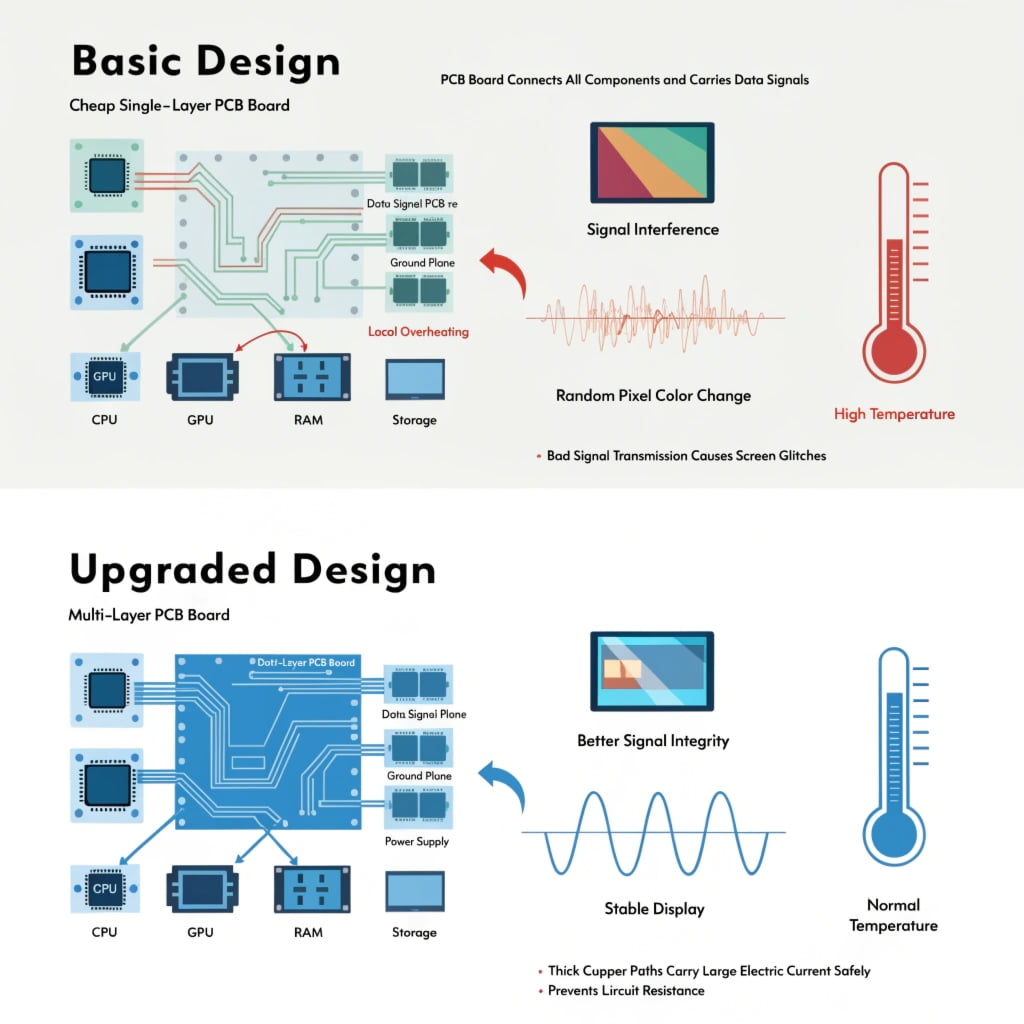
Buyers rarely ask me about the PCB board7. I know that a bad PCB board7 will destroy a good LED lamp. The PCB is the road for power and data.
Multi-Layer Board Design
A basic screen uses a two-layer board. A premium screen uses a four-layer or six-layer board. The inner layers act as a shield. They separate the power lines from the data lines. High-speed data signals can easily mix and cause errors. We call this crosstalk13. The inner shield blocks this crosstalk13. It filters out power noise. The data signals stay pure. The screen never shows random flashing pixels.
Thick Copper Paths
The PCB must carry a lot of electric power. If the copper path is thin, the electrical resistance is high. The path acts like a heater. The screen gets hot in random spots. Red LEDs are very sensitive to heat and voltage changes. If the board gets too hot, the red pixels stop working correctly. Thick copper paths make the road wider. The electricity flows easily. The resistance drops. The board stays cool. The red colors stay perfect.
| PCB Design Type | Signal Quality | Heat Level | Best Application |
|---|---|---|---|
| 2-Layer Thin Copper | High interference | High heat | Basic text displays |
| 4-Layer Thick Copper | Clean signal | Low heat | High-resolution video screens |
How Do Control Systems Process Real-Time Data for Perfect Images?
Does your screen lag during live video? Slow control systems ruin the viewer experience. You need fast data processing to keep the picture perfect.
The control system acts as the brain for video data. Pixel-level calibration corrects color changes as the screen ages. Zero-frame delay technology processes video instantly. This removes lag and keeps the video perfectly timed for live sports and gaming events.
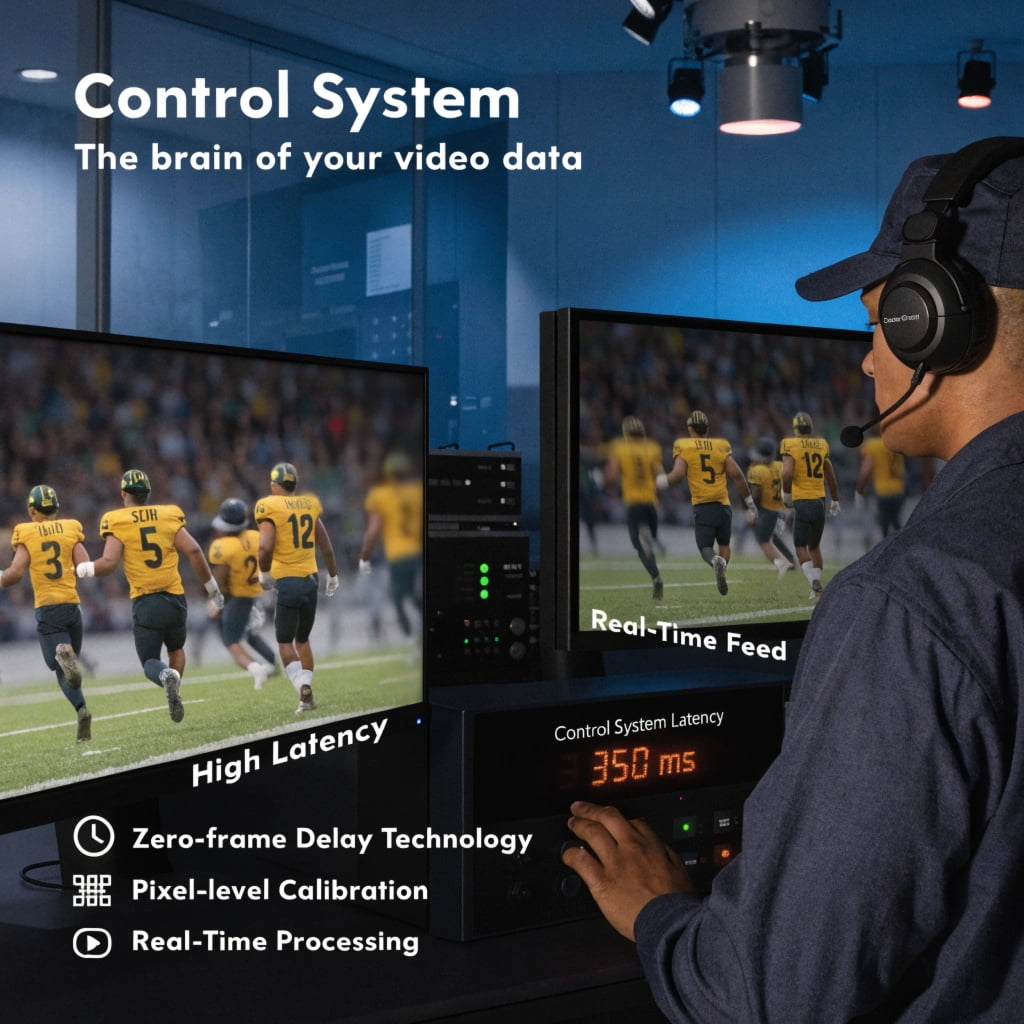
I once managed an esports event where a tiny video lag caused huge complaints. The control system must handle massive data instantly.
Pixel-Level Calibration
Every LED lamp is slightly different. As the screen gets older, the red, green, and blue lights fade at different speeds. The screen will look patchy. The control system fixes this. We measure every pixel in the factory. We save a special number for every pixel. The control system reads this number. It changes the brightness of every single dot. When the screen gets older, we can update these numbers. The control system forces the pixels to match. The screen looks brand new again.
Zero-Frame Delay
Old control systems wait for a whole picture to arrive before sending it to the screen. This causes a delay. We use zero-frame delay14 technology. The system does not wait. It receives a few lines of the picture and sends them immediately. We also lock the time clocks together. Every part of the system runs on the exact same clock pulse. This stops random video shaking. The picture moves in real-time.
| Technology | Old Method | New Method | User Benefit |
|---|---|---|---|
| Color Control | Hardware only | Pixel calibration | Keeps colors uniform over years |
| Video Speed | Wait for full frame | Zero-frame delay | Stops video lag in live events |
Why is the Power Supply System the Lifeline of Your LED Display?
Do power failures shut down your big events? Bad power supplies waste electricity and cause blackouts. You need smart power systems to protect your investment.
The power supply8 turns wall electricity into safe screen power. Dual backup systems switch instantly if one power box fails. High-efficiency power supplies waste less energy as heat. This lowers cooling costs and saves a massive amount of money on electric bills.
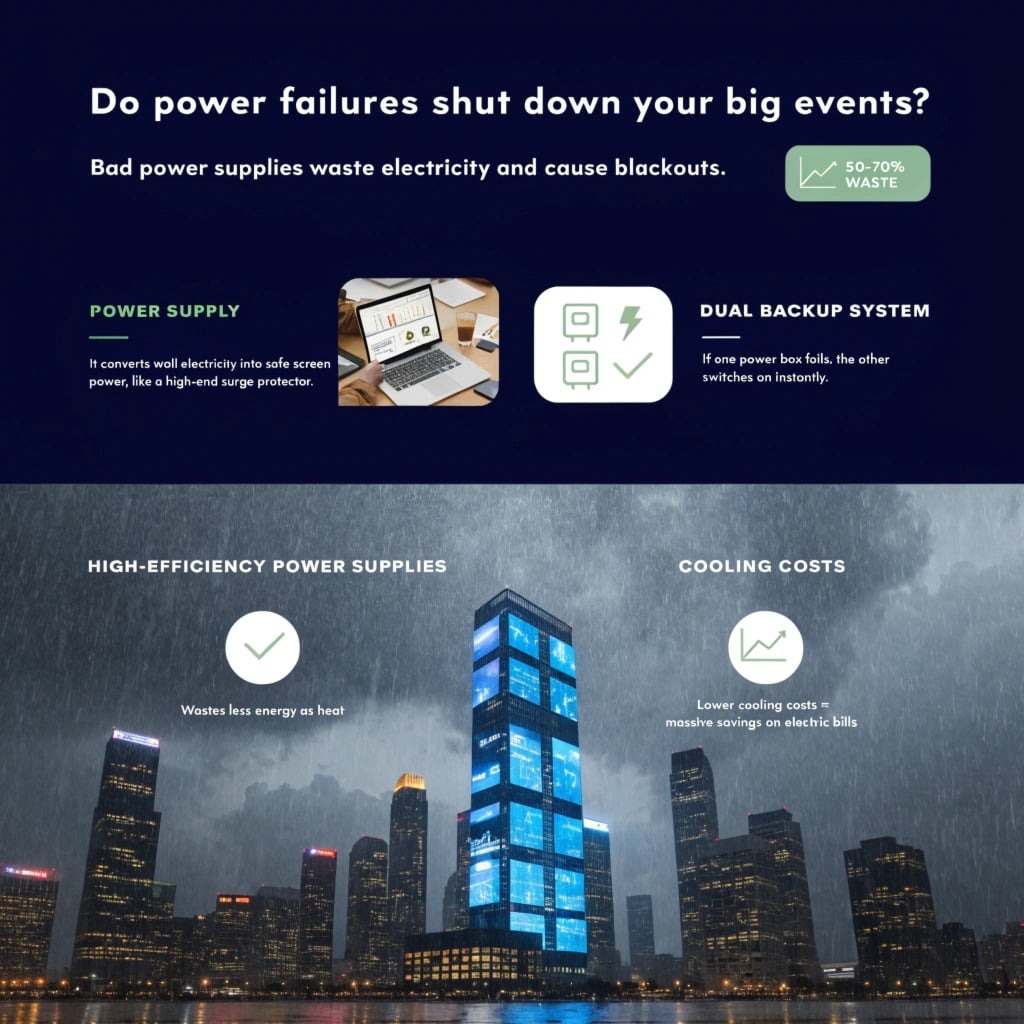
I have seen a whole outdoor billboard go dark because one cheap power box broke. The power supply8 is the heart of the machine.
Dual Power Backup
Important screens cannot fail. We use a dual power backup15 system. Two power boxes connect to the same board. The main box does all the work. If the main box breaks, the voltage drops. The backup box feels this drop instantly. It turns on in one microsecond. The screen never goes black. The viewers never see a problem.
High Power Efficiency
Outdoor screens use a lot of power. They change AC power from the wall into DC power for the screen. A cheap power box only uses 80 percent of the energy. It turns 20 percent into useless heat. A high-quality power box has over 90 percent efficiency. It makes much less heat. This has two huge benefits. First, your power bill goes down. Second, you do not need big air conditioners to cool the screen. The money you save on electricity will pay for the better power boxes very quickly.
| Power Feature | Standard Power Supply | Premium Power Supply | Financial Impact |
|---|---|---|---|
| System Backup | Single power box | Dual backup boxes | Stops costly event failures |
| Energy Efficiency | 80% Efficiency | 90%+ Efficiency | Saves huge money on power bills |
Conclusion
Every part matters. Better LED lamps3, smart driving IC5s, strong PCB board7s, fast control systems, and efficient power supplies work together to build a perfect, long-lasting LED display.
Understanding common LED screen issues can help you make informed decisions about your display technology. ↩
Explore how image quality impacts customer perception and brand loyalty in the digital age. ↩
Learn about the factors that influence LED lamp lifespan to ensure better performance and longevity. ↩
Explore the importance of contrast in delivering high-quality visual experiences. ↩
Discover the critical functions of driving ICs in enhancing LED display performance. ↩
Find effective solutions to eliminate camera flicker for better visual experiences. ↩
Understanding PCB design can help you appreciate its role in device stability and performance. ↩
Explore the essential features of power supplies that ensure reliable LED display operation. ↩
Stay updated on the latest advancements in visual display technology for better insights. ↩
Explore the significance of heat management in maintaining optimal LED display functionality. ↩
Explore the benefits of energy-saving ICs in reducing heat and extending display lifespan. ↩
Understanding the causes of signal errors can help in troubleshooting display issues. ↩
Discover strategies to minimize crosstalk for better signal integrity in electronics. ↩
Learn how zero-frame delay technology enhances real-time video performance. ↩
Discover how dual power backup systems prevent display failures during critical events. ↩