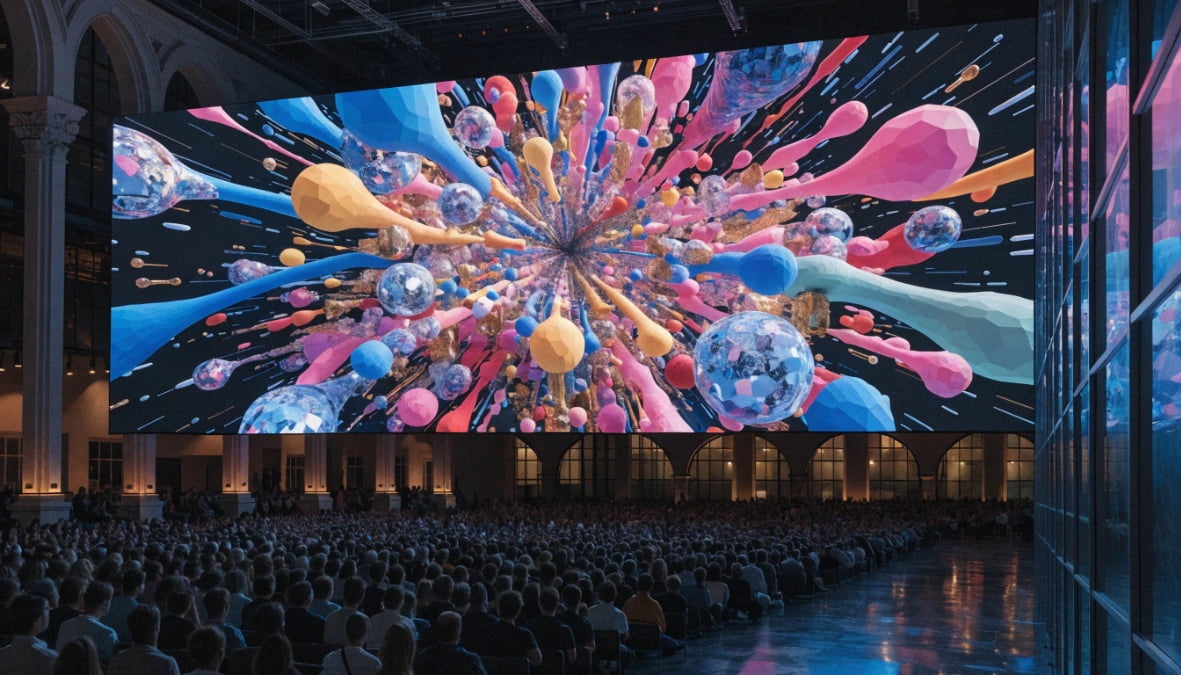
You spend thousands on ultra-fine pixel pitch1 screens, but your audience notices no difference. This wastes your project budget. I will show you how to choose the right LED resolution.
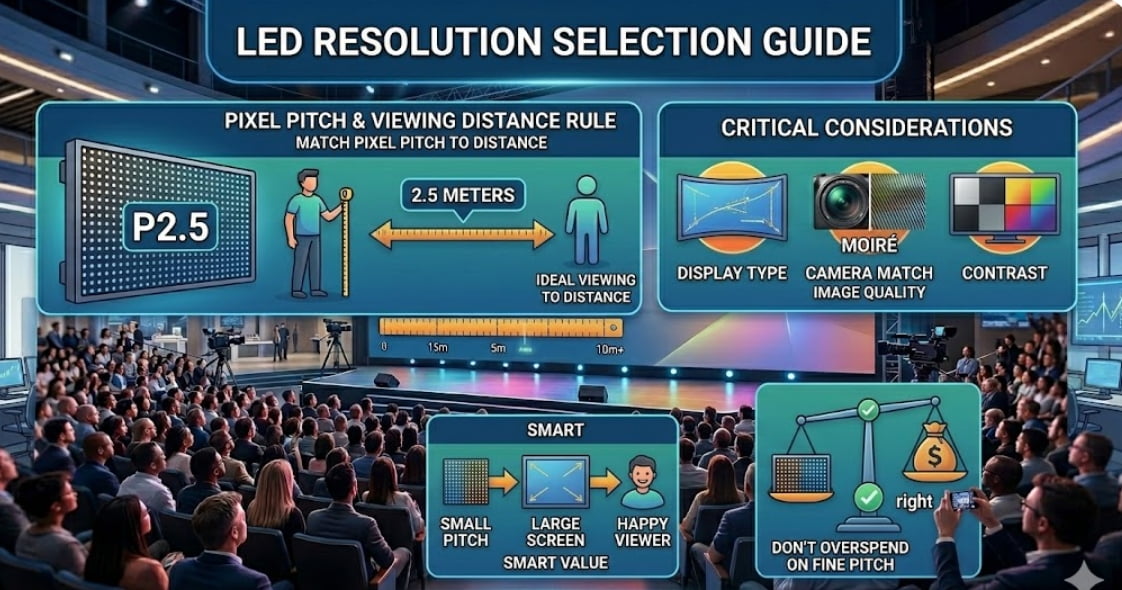
To select the right LED resolution, match the pixel pitch1 to your viewing distance2. A simple rule is that a P2 screen3 looks great from 2 meters away. You must also consider screen shape, camera refresh rates4, and contrast levels5 instead of just buying the smallest pixel pitch1.
Many LED display suppliers push you to buy expensive models like P1.2. They tell you more pixels mean better quality. But this is not always true. I have seen many project contractors blow their budgets on unnecessary specs. Let us look at what actually matters when you buy an LED display.
Do you really need that expensive fine pixel pitch?
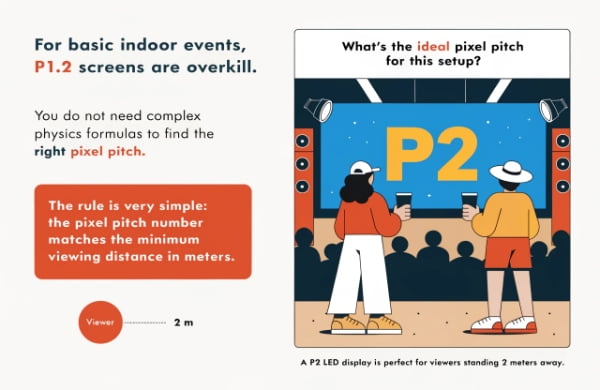
Suppliers often pressure you to buy a P1.2 screen6 for basic indoor events7. You overpay for pixels you do not need. You should use a simple viewing distance2 rule instead.
You do not need complex physics formulas to find the right pixel pitch1. The rule is very simple. The pixel pitch1 number matches the minimum viewing distance2 in meters. For example, a P2 LED display is perfect for viewers standing 2 meters away.
Many companies love to sell high-priced fine pixel pitch1 screens. They make more profit this way. Last year, a client asked me for a P1.2 screen6 for a shopping mall ceiling. I told him this was a huge waste of money. The shoppers were at least 5 meters away from the screen.
When people stand far away, their eyes cannot see the tiny gaps between pixels. A P4 or P5 screen would look exactly the same to them. You should always measure the distance between your screen and your closest viewer. You do not need to pay for extra pixels that no one can see. The physical limit of the human eye makes those tiny pixels useless at long distances.
Viewing Distance Guide
| Pixel Pitch | Closest Viewing Distance | Best Application |
|---|---|---|
| P1.2 | 1.2 Meters | Control rooms, close-up meeting rooms |
| P2.0 | 2.0 Meters | Retail stores, indoor events7 |
| P3.0 | 3.0 Meters | Stage backgrounds, small outdoor signs |
| P5.0 | 5.0 Meters | Large outdoor billboards8 |
If your project has a tight budget, do not blindly chase extreme resolution. Pick a stable screen with a pitch that fits your real distance. This saves money for other parts of your project.
Why does my screen look blurry even with a small pixel pitch?
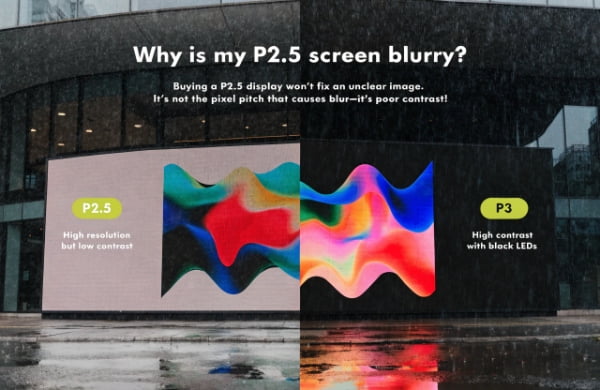
You bought a P2.5 screen9, but the image still looks washed out. High resolution does not fix bad colors. You must improve your screen contrast and use black LEDs10.
An unclear image is often not caused by a large pixel pitch1. It is caused by poor contrast. A P3 outdoor screen11 with high contrast and black LEDs10 will look much sharper and clearer than a P2.5 screen9 with low contrast and standard white LEDs.
People often think more pixels equal a clearer picture. This is a big misunderstanding in the LED display industry. Contrast is just as important as resolution. Contrast is the difference between the brightest white and the darkest black on your screen.
If you put an LED screen outdoors, the sunlight hits the screen. If the screen uses cheap white LEDs, the black areas will look gray. The whole picture will look flat and blurry. I once replaced a client's old P2.5 outdoor screen with a new P3 screen. The new P3 screen used high-quality black LEDs10. The client was shocked. The P3 screen looked much better, even though the pixel pitch1 was larger. High contrast makes the colors rich. It makes the text sharp. You must treat contrast and pixel pitch1 as equal partners.
Resolution vs Contrast
| Feature | What It Does | Why It Matters |
|---|---|---|
| Pixel Pitch | Controls physical detail | Makes lines sharp up close |
| Contrast Ratio | Controls color depth | Makes images pop in bright light |
| Black LEDs | Absorbs outside light | Keeps dark areas truly dark |
Do not just look at the pitch number on the spec sheet. Check the contrast ratio. Ask your supplier about black LEDs10, especially for outdoor or bright indoor projects. Good contrast will save your image quality12.
Will your LED screen look good on a smartphone camera?
Your LED screen looks great to the eye, but awful on Instagram videos. Flicker ruins your social media marketing. You must upgrade your refresh rate and driver IC13.
Pixel pitch only controls clarity for human eyes. Refresh rate and driver IC13 control how the screen looks on cameras. For churches, studios, or events, you must use a high refresh rate like 7680Hz. Otherwise, phones and cameras will capture ugly black scanning lines.
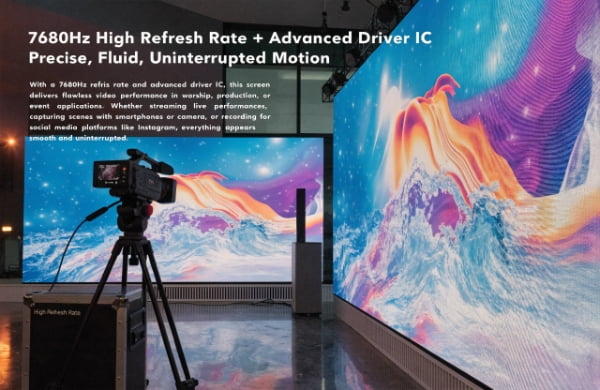
Today, every event is recorded on a smartphone. Your LED display has two audiences. The first audience is the people in the room. The second audience is the camera lens.
Human eyes are slow. They do not see the LED lights flashing. Cameras are fast. If your screen has a low refresh rate, the camera will record moving black lines. We call these scan lines14. I had a church client who bought a cheap P2 screen3 with a 1920Hz refresh rate. Their Sunday service live stream looked terrible. The screen flickered constantly on the video. The pastor was very unhappy. We changed their system to use a high-performance driver IC13 with a 7680Hz refresh rate. The pixel pitch1 stayed the same, but the video looked perfect. A good driver IC13 is the brain of your screen. It controls how fast the LEDs turn on and off.
Refresh Rate Requirements
| Refresh Rate | Camera Performance | Best Use Case |
|---|---|---|
| 1920Hz | Heavy flicker on video | Basic outdoor billboards8, text signs |
| 3840Hz | Good for basic phones | Standard rental events, retail |
| 7680Hz | Perfect, no flicker | Broadcast studios, church live streams, XR |
Always tell your manufacturer if your screen will be on camera. A small pitch means nothing if the refresh rate is too low. You must protect your online brand image.
Do creative LED shapes need a smaller pixel pitch?
Curved screens often show ugly gaps and rough edges. Standard pixel pitch1es do not bend well. You need a smaller pixel pitch1 for custom shapes to keep edges smooth.
Creative LED displays15, like spheres or curved screens, require a smaller pixel pitch1 than flat screens. A large pixel pitch1 on a curved surface causes a staircase effect and visible gaps at the corners. A tighter pixel density16 hides these structural differences and creates a seamless shape.
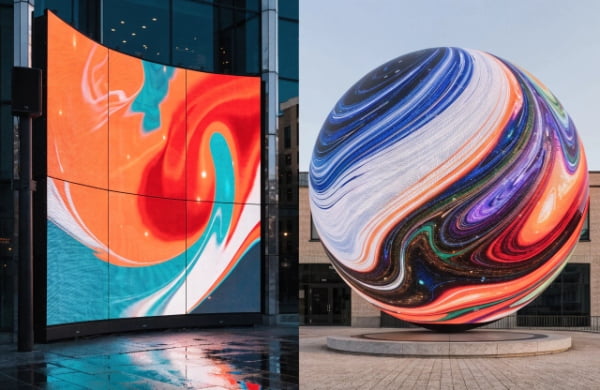
Flat screens are easy to build. Creative screens are hard. When you bend an LED module or build a sphere, the physical structure changes. The edges of the modules meet at different angles.
If you use a large pixel pitch1 like P4 on a sharp curve, the distance between the pixels at the joint becomes uneven. Your eye will see a dark line or a cracked edge. I worked on a spherical LED project for a museum. At first, the design used P3. When we built the prototype, the curved edges looked like a staircase. We changed the design to P1.8. The extra pixels filled the gaps. The dense pixels cover the physical seams. The surface looks completely smooth. You cannot treat a curved screen like a flat wall.
Flat vs Creative Screen Needs
| Screen Type | Structural Challenge | Pitch Recommendation |
|---|---|---|
| Standard Flat | None, modules align perfectly | Based purely on viewing distance2 |
| Curved / Wave | Gaps stretch on convex curves | Go one step smaller than standard |
| Sphere / 3D | Complex corners and joints | Requires fine pitch and custom modules |
If your project involves special shapes, you must plan for a smaller pitch. The smaller distance between pixels hides the physical joints of the custom cabinets. This creates the perfect visual illusion for your audience.
Are you ready for the high maintenance cost of small pixel pitch?
Ultra-fine pitch screens break easily and cost a fortune to fix. Dead pixels ruin your display. You must balance high resolution with long-term stability and affordable maintenance.
A smaller pixel pitch1 means more densely packed LEDs. This increases the risk of dead lights and false soldering. The maintenance cost17 and power consumption of a P1.2 screen6 are much higher than a P2.9 screen. Even COB or GOB technologies face these expensive repair issues.
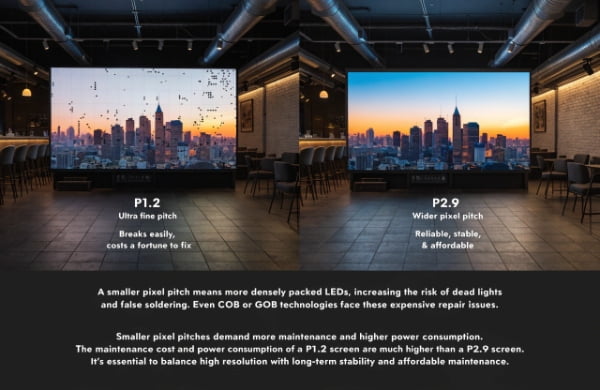
Buyers often forget about the cost after the installation. They only look at the purchase price. A P1.2 screen6 has millions of tiny LED lamps. More lamps mean more things can break.
If someone bumps into a P1.2 screen6, hundreds of pixels can die instantly. Repairing a P1.2 module requires a microscope and a highly skilled technician. It takes hours of hard work. Repairing a P2.9 module is fast and easy. Also, fine pitch screens consume much more electricity. Your daily running costs will go up significantly. Even if you buy protected screens like GOB or COB, repairs remain very expensive. When a COB module breaks, you often have to replace the whole board. You cannot just fix a single lamp.
Maintenance Comparison
| Pixel Pitch | Pixel Density (per sqm) | Repair Difficulty | Power Cost |
|---|---|---|---|
| P1.2 | ~640,000 pixels | Very High | Very High |
| P2.9 | ~112,000 pixels | Low | Moderate |
| P4.8 | ~43,000 pixels | Very Low | Low |
For a B2B project with a tight budget, stability is king. A reliable P2.5 screen9 is always better than a broken P1.2 screen6. Choose a pitch that your local team can actually maintain without spending too much money.
Conclusion
Do not waste money on the smallest pixel pitch1. Match the pitch to viewing distance2, prioritize contrast and refresh rate, and consider the long-term maintenance cost17s for your project.
Understanding pixel pitch is crucial for selecting the right LED screen for your needs. ↩
Learn how viewing distance impacts the effectiveness of your LED display selection. ↩
Discover why a P2 screen is ideal for close viewing distances and specific applications. ↩
Understand how refresh rates impact the performance of LED screens, especially for video. ↩
Find out how contrast levels can enhance the visual quality of your LED displays. ↩
Explore the pros and cons of investing in a P1.2 screen for your projects. ↩
Discover the ideal LED display options for enhancing indoor event experiences. ↩
Learn the key factors for selecting LED displays for outdoor advertising. ↩
Find out why a P2.5 screen can be a balanced choice for various applications. ↩
Learn how black LEDs can improve contrast and image quality in LED screens. ↩
Find out why a P3 outdoor screen can outperform higher pixel pitch options. ↩
Explore strategies to enhance the image quality of your LED screens. ↩
Learn how driver IC affects the visual quality of LED screens on camera. ↩
Understand scan lines and how to prevent them for better video quality. ↩
Custom-engineered LED solutions including spheres, cubes, and flexible modules designed. ↩
Discover the relationship between pixel density and visual clarity in displays. ↩
Explore the long-term costs of maintaining high-resolution LED displays. ↩